
PAPERDAY · ANDROID · iOS
Every plan on
a single timeline.
Alarms · to-dos · subscriptions · contracts · medication · anniversaries · daily routine · timetable · diary. What normally takes nine separate apps, one app handles. What you write stays on the device; an account is optional.
What makes it different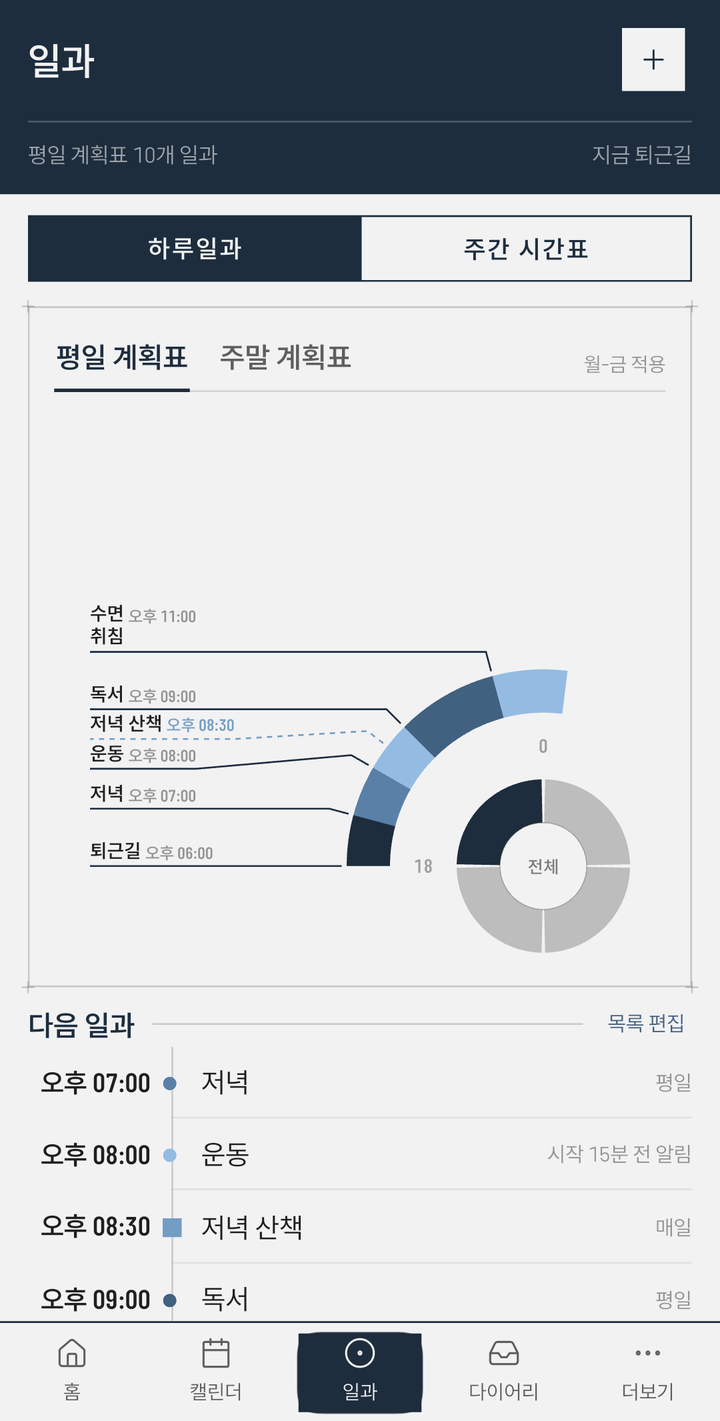
01 On-device by default
What you write stays here,
an account is yours to choose.
All nine kinds work without signing in, and what you write stays on the device. An account is there for when you want the same records on more than one device.
- Signing in is optional — connect with Google, Facebook, Kakao, LINE or Apple and the same records follow you across your devices and the web. The app keeps a list of connected devices, and each entry shows which device it was written on. Sync between devices is a paid subscription.
- Weather is on from the start — the home screen's weather strip asks our server for a forecast. The location sent is a coarse coordinate, rounded to roughly a 10 km grid, if you have turned on “use my location”, and otherwise the capital of the country you chose for public holidays. Our server uses that coordinate only as a key to hold the answer briefly, and does not store it. You can turn weather off in settings.
- Device calendar sync is off by default — turn it on and pick a Google or iCloud account calendar, and those entries travel with that account. You choose which calendar receives which kinds.
- A backup is a file you make — you choose where it is saved. Pick a cloud drive and it goes there.
- If you keep iCloud device backup switched on for an iPhone or iPad, the app's data can be included in that backup — it goes to your own iCloud, not to a company server, and we cannot reach it.
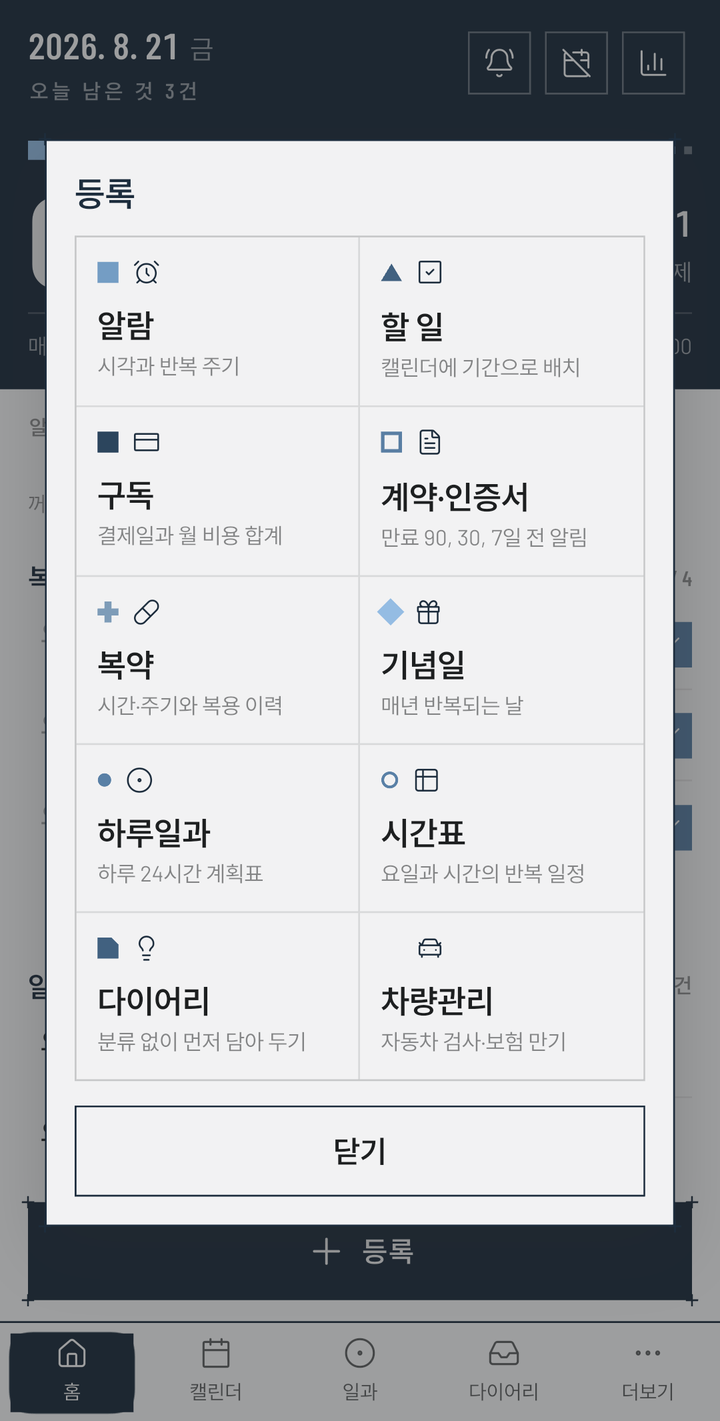
02 Nine kinds
The work of nine apps,
in one.
Alarms
Time and repeat cycle. Keeps ringing until dismissed
To-dos
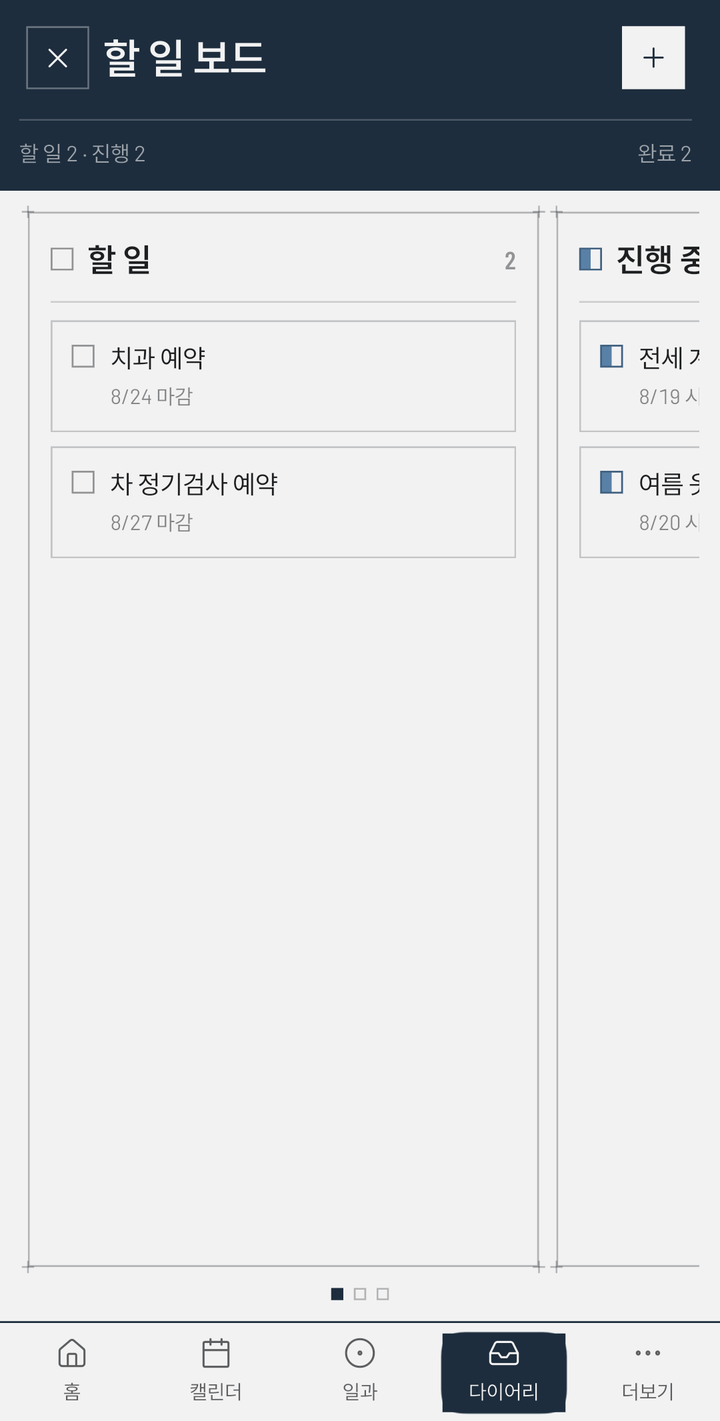
Placed on the calendar as spans · kanban board
Subscriptions
Billing dates and monthly totals · free-trial warning
Contracts
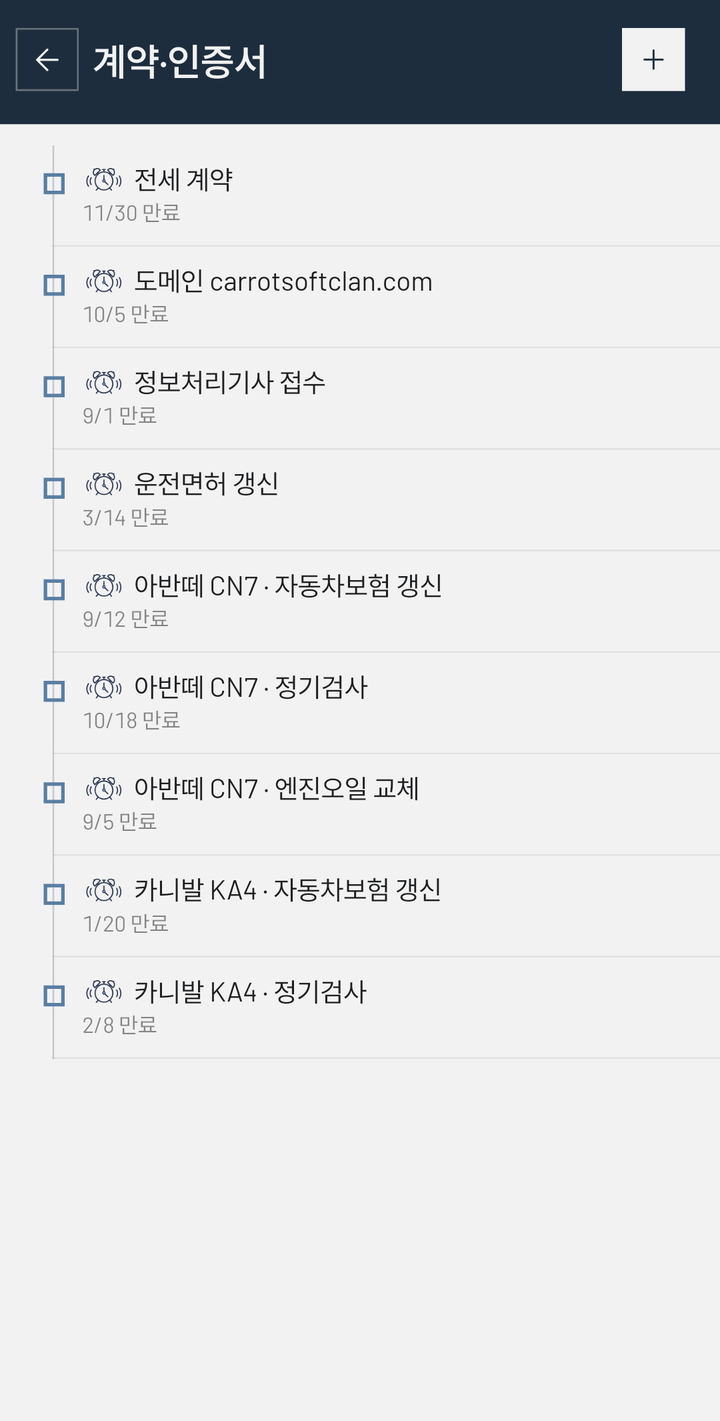
Reminders 90 / 30 / 7 days before expiry
Medication
Times, cycles, intake history · remaining count
Anniversaries
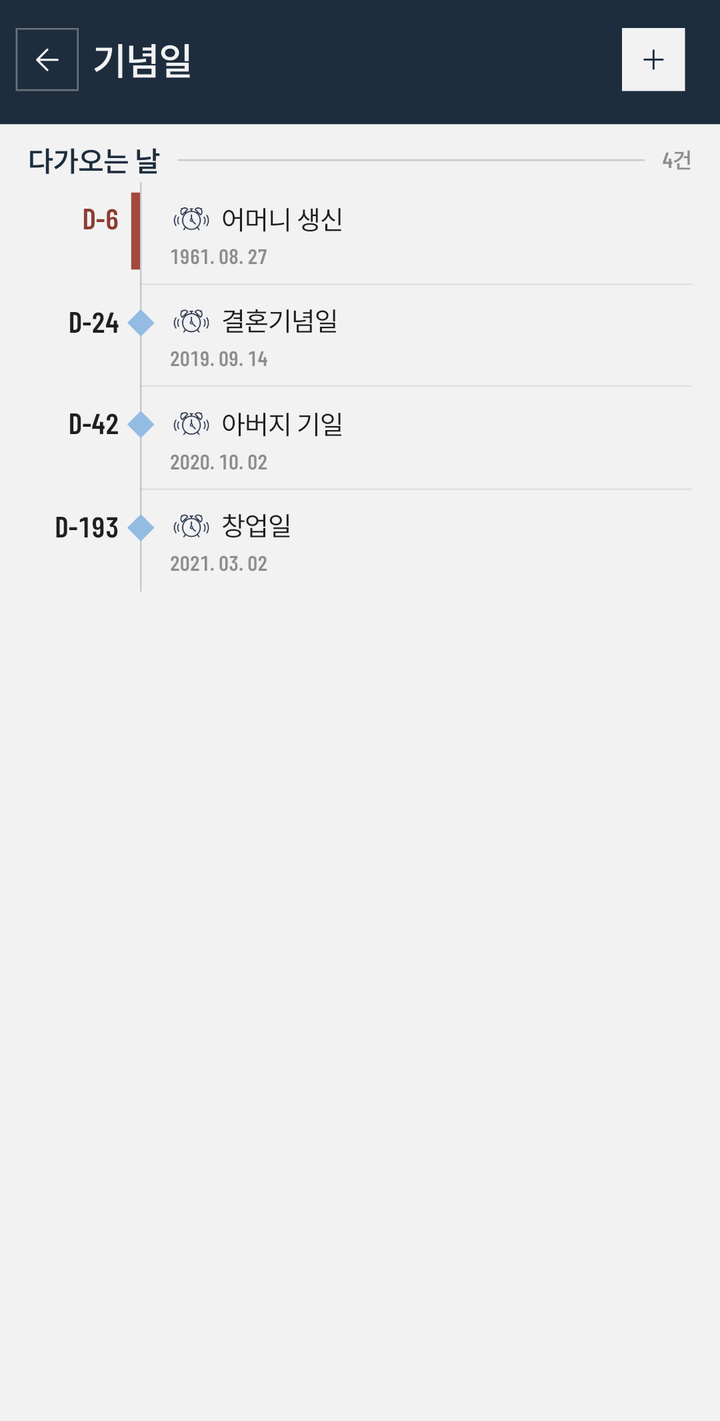
Days that come round each year — anniversaries · birthdays · memorials
Daily routine
A 24-hour dial for the whole day
Timetable
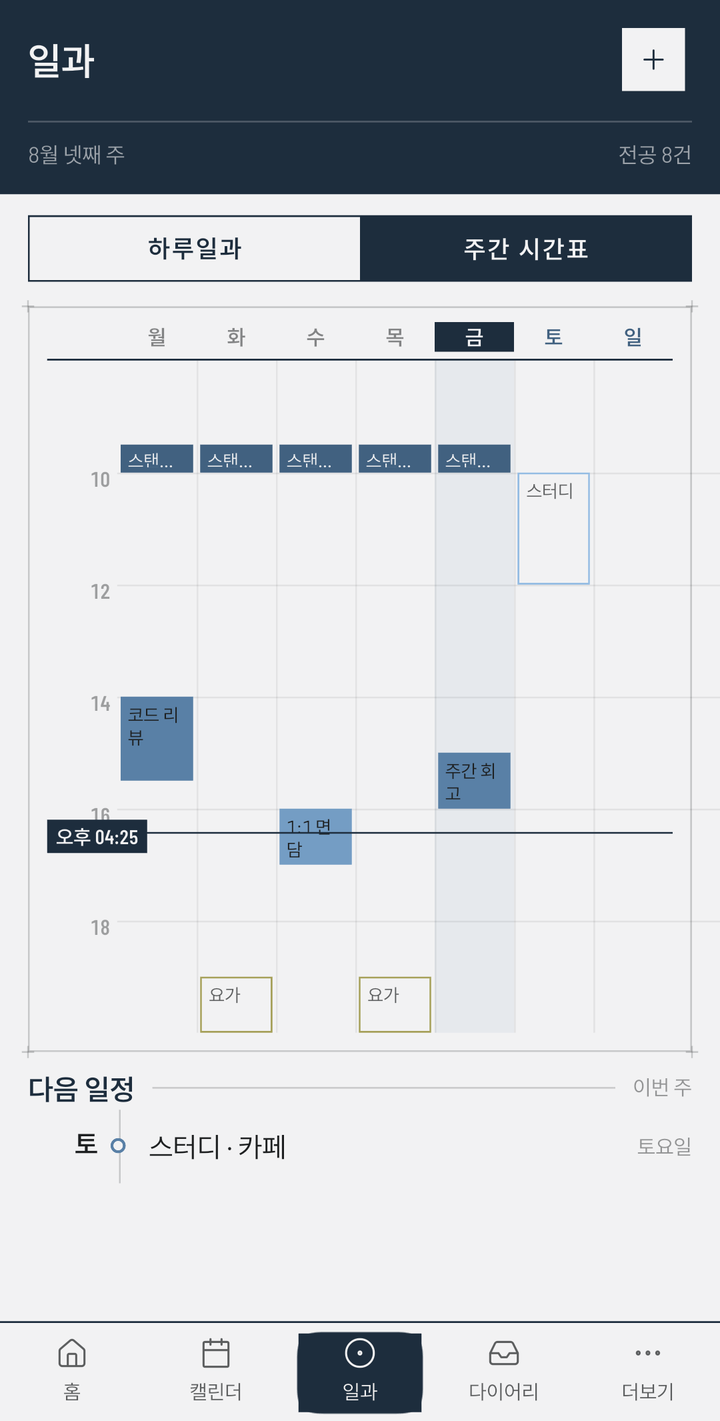
Recurring slots by weekday and hour, on a weekly grid
Diary
Drop it in first, sort it later · tags · photos
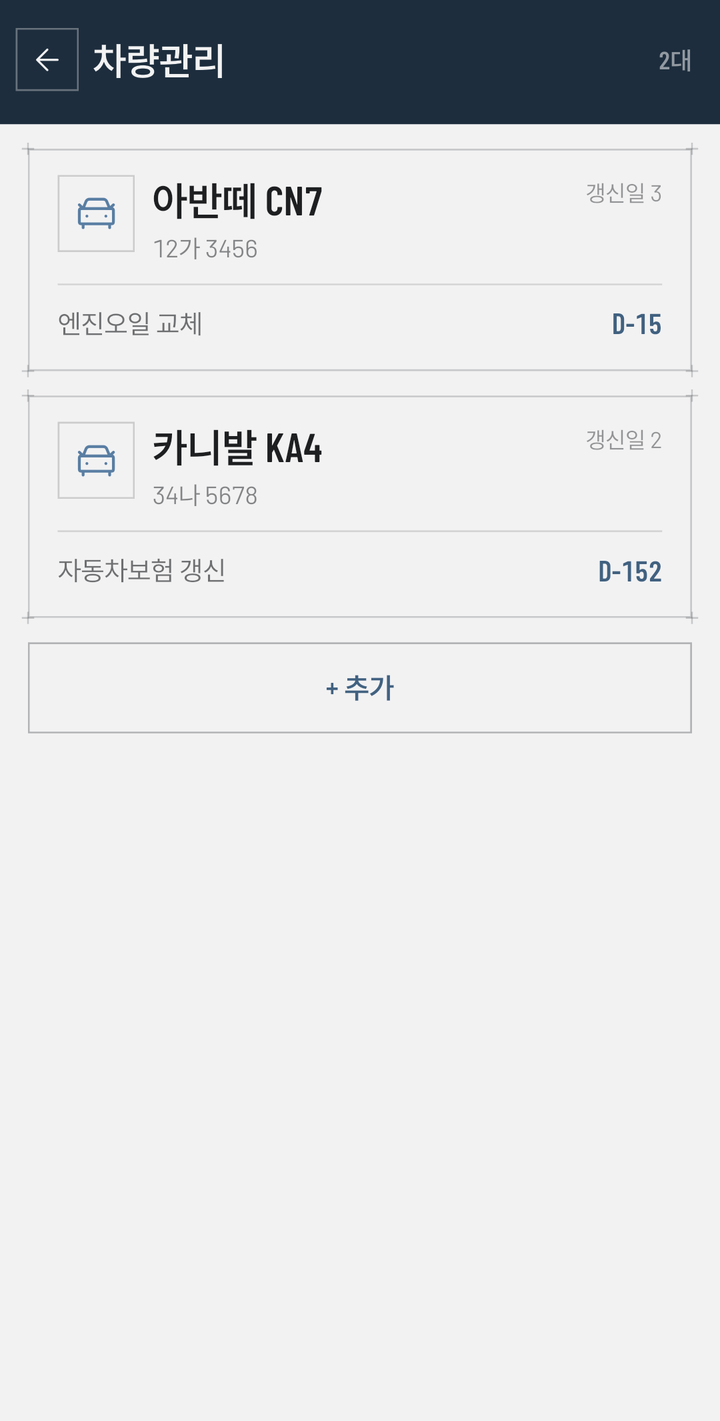
The add panel has ten cells. Nine are the kinds above; the tenth, Vehicles, is not a kind but a door into the vehicle list — it keeps track of inspection and insurance renewals.
03 Home
How much is left today,
and what time is next.
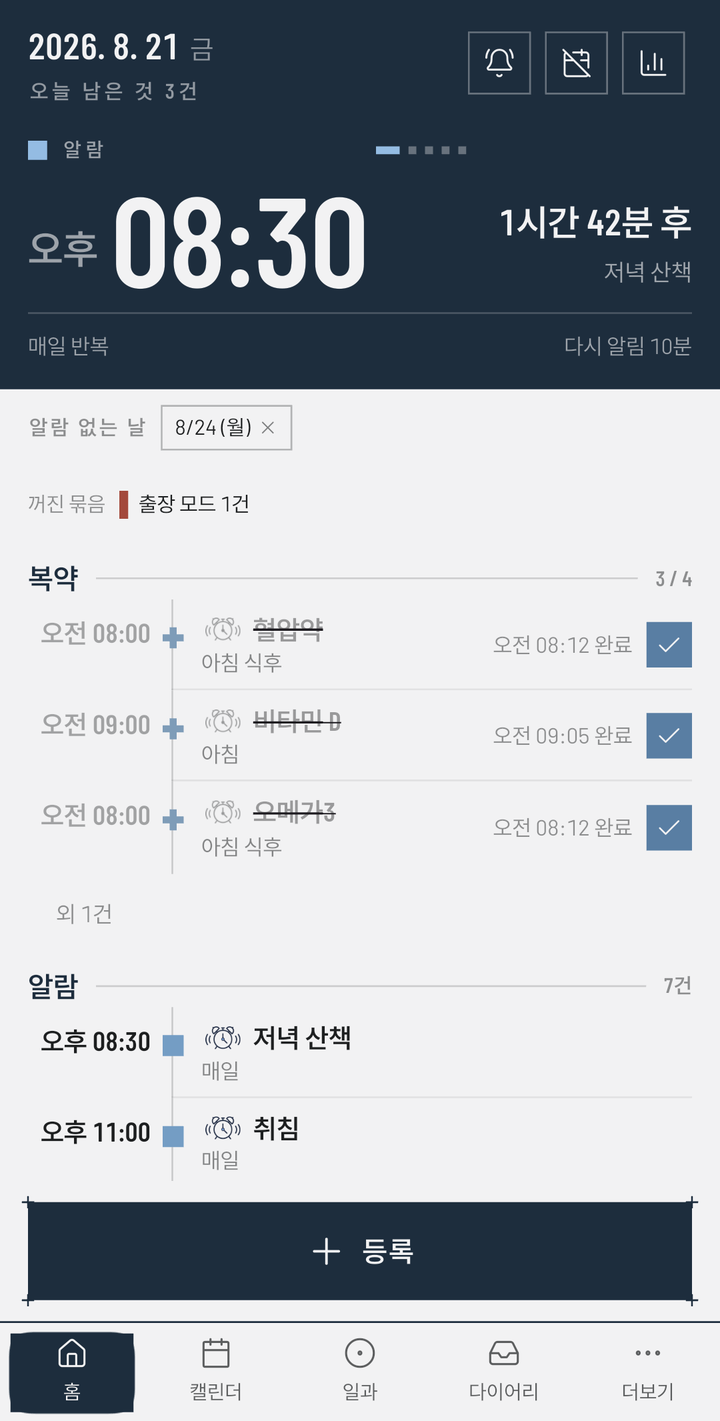
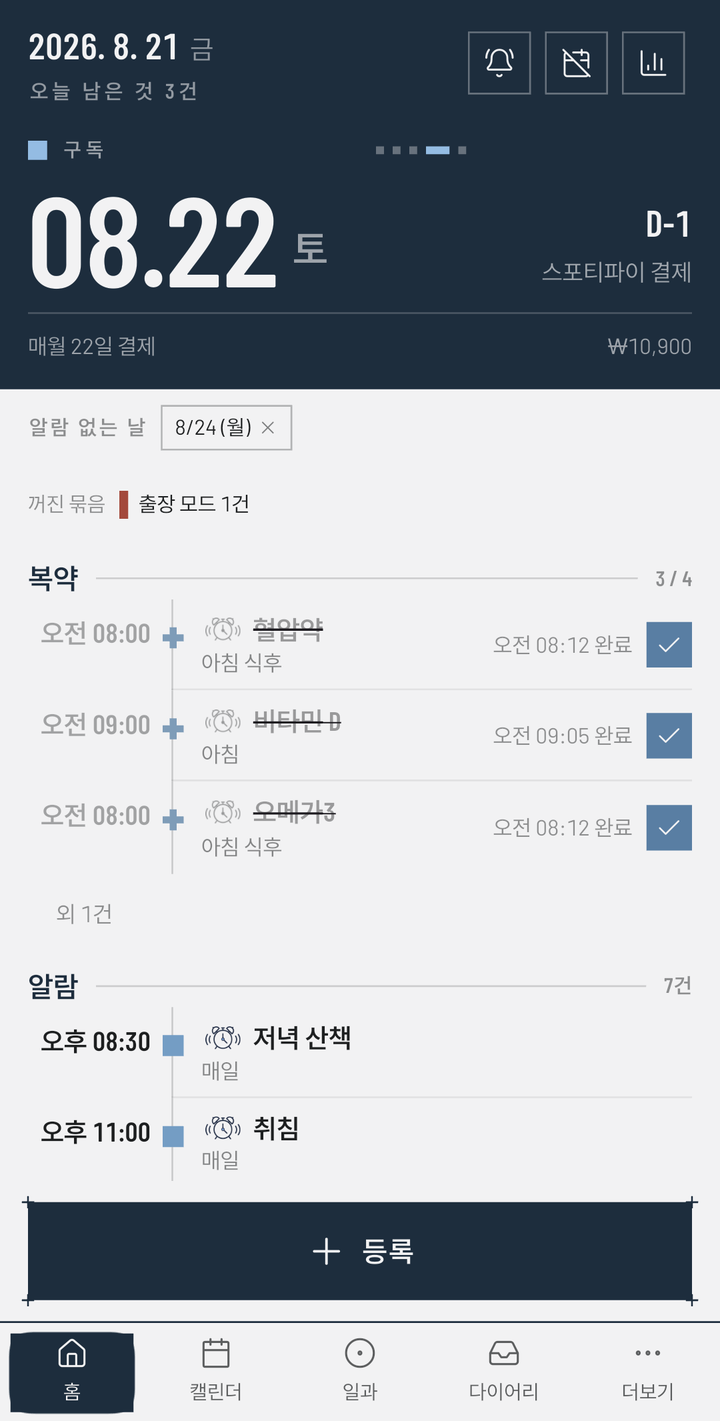
- The large panel at the top shows whatever comes next — not only alarms, but medication, subscription payments and upcoming days too.
- That panel turns over by itself every six seconds to bring up the next one, counting the days left as D-1 · D-6.
- The label at the top left of the panel changes with whatever has come up — “alarm” · “medication” · “subscription”.
- The “no-alarm days” chips and the “group switched off” band leave the reason nothing will ring today right on the screen.
- Tick medication straight from the list — the time you took it is recorded.
04 Alarms
Travelling? Switch off
the morning group.
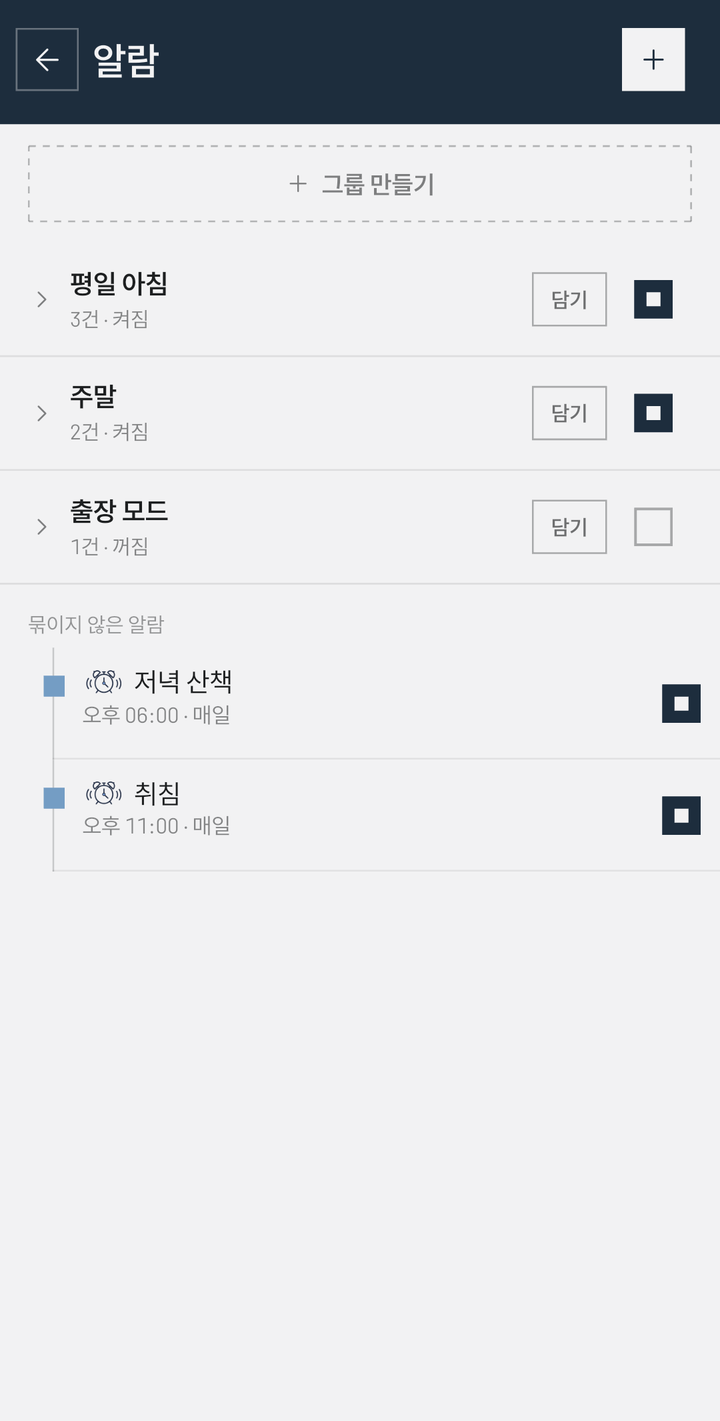
- One group switch silences them all, and turning it back on restores each alarm's own on/off state.
- Seven repeat modes — once · daily · weekdays · chosen days · monthly · yearly · every N days.
- Turn on skip public holidays and it stays quiet on the holidays of the country you pick.
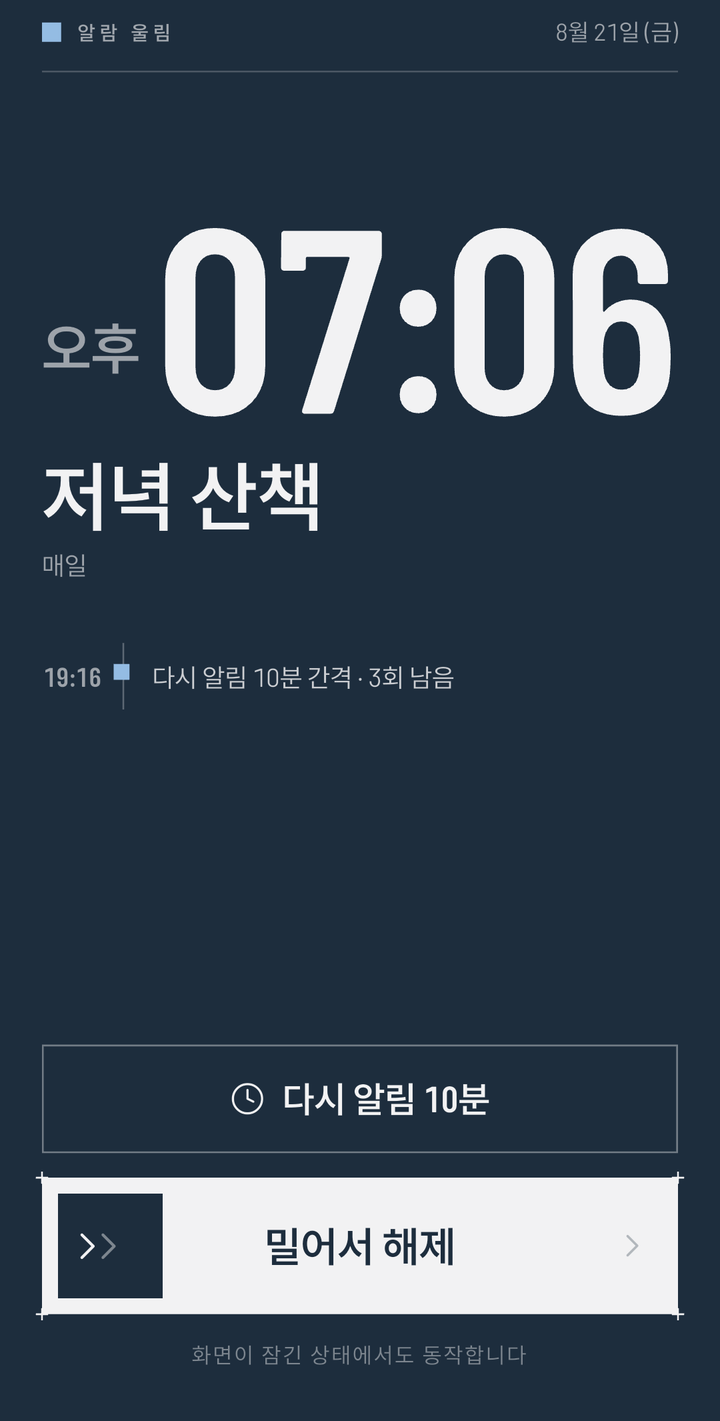
- When it rings, a full-screen view rises over the lock screen and the sound continues until you swipe to dismiss.
05 The shape of a day
What your day looks like,
in one picture.
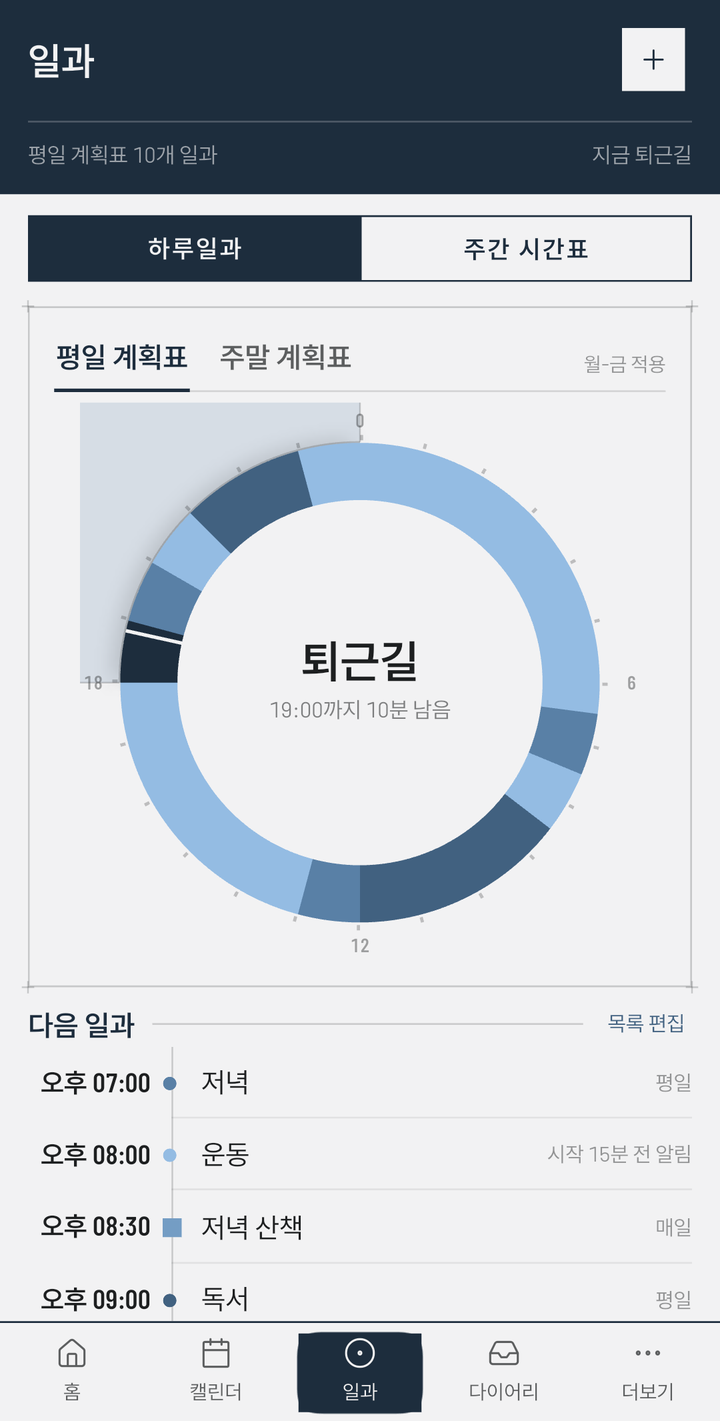
The full 24 hours are drawn as a dial. The segment for the current time fills in darker, and the centre shows what this time is for and how many minutes remain. When the segments crowd together, tap the dial to zoom into one quadrant — six hours: the labels step outside on leader lines, and the quadrant holding the current time is shaded faintly beyond the ring. Each segment can carry a reminder before it starts (15 minutes before, for example). And not only routine blocks — the alarms due that day stand on the same dial.
06 Dates
By month or by week,
it is the same timeline.
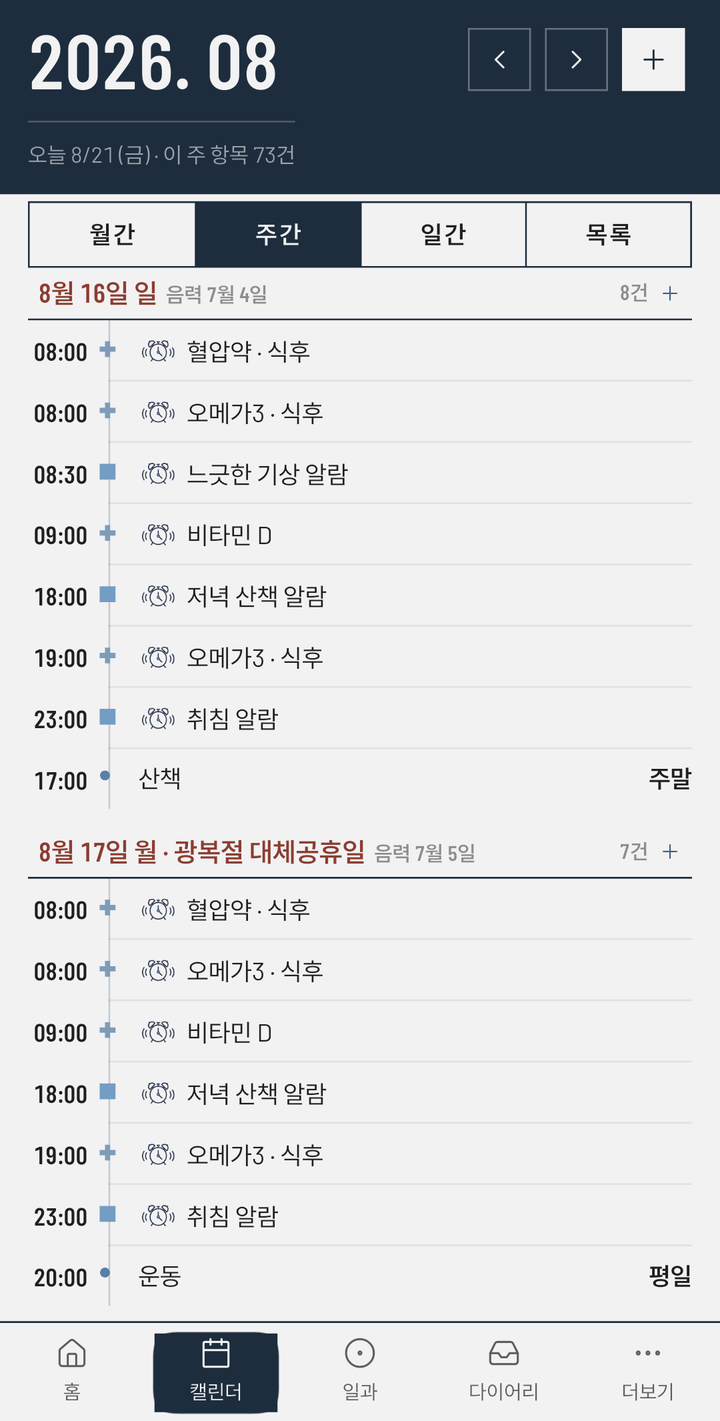
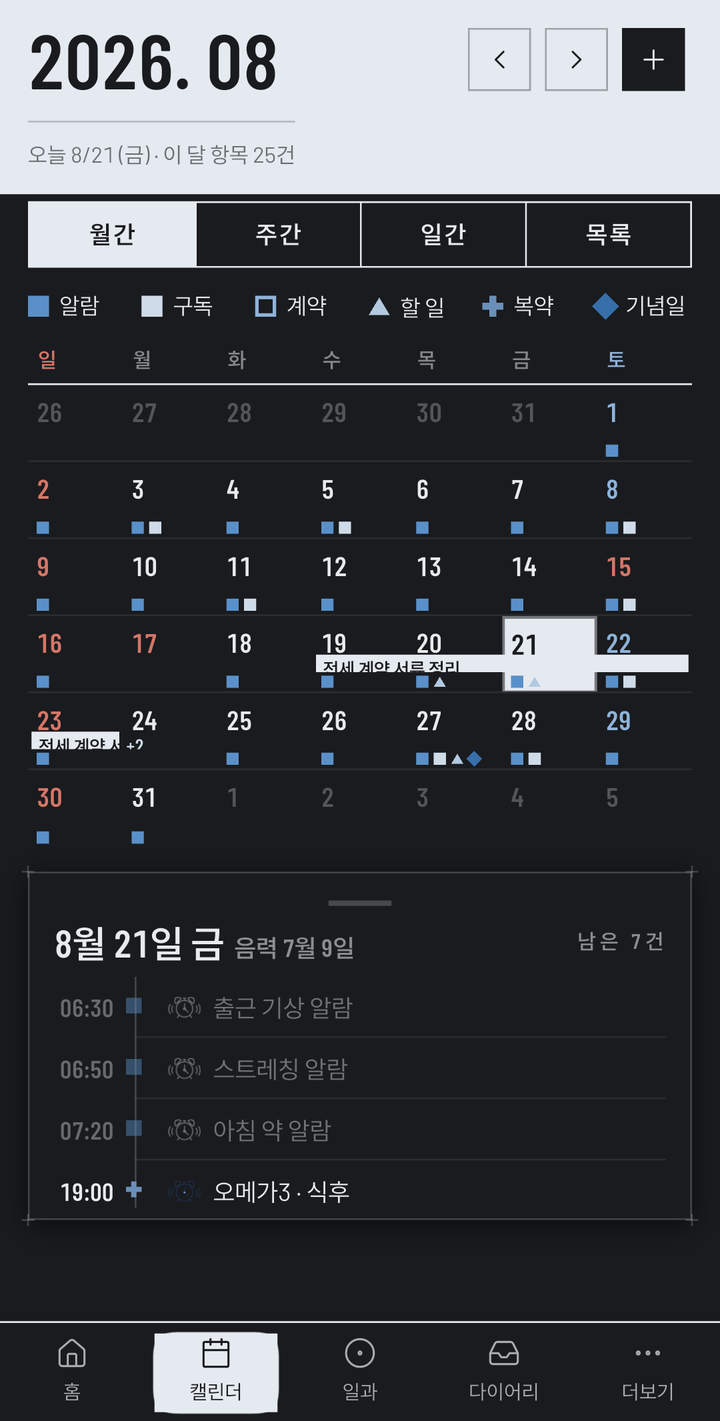
The calendar has four views — month grid, week, day and list. Whichever you use, the mark for each kind comes along with it, so what a day holds is clear at a glance. Export to the device calendar and it opens in Google Calendar and the like.
07 Money and expiry
When the free trial ends,
and when things expire.
Free trial ends in 7 days
- Thirteen currencies — KRW · USD · JPY · EUR · GBP · TWD · HKD · AUD · NZD · SGD · INR · MYR · ZAR.
- Contracts and certificates warn you 90 / 30 / 7 days before expiry — a lease, insurance, a domain, an exam registration.
- Only the name of a payment method is stored. Card numbers are not.
- Choose, per item, how many days ahead to be told — and whether as an alarm or a notification.
08 Capture
Sort it later.
Write it down now.
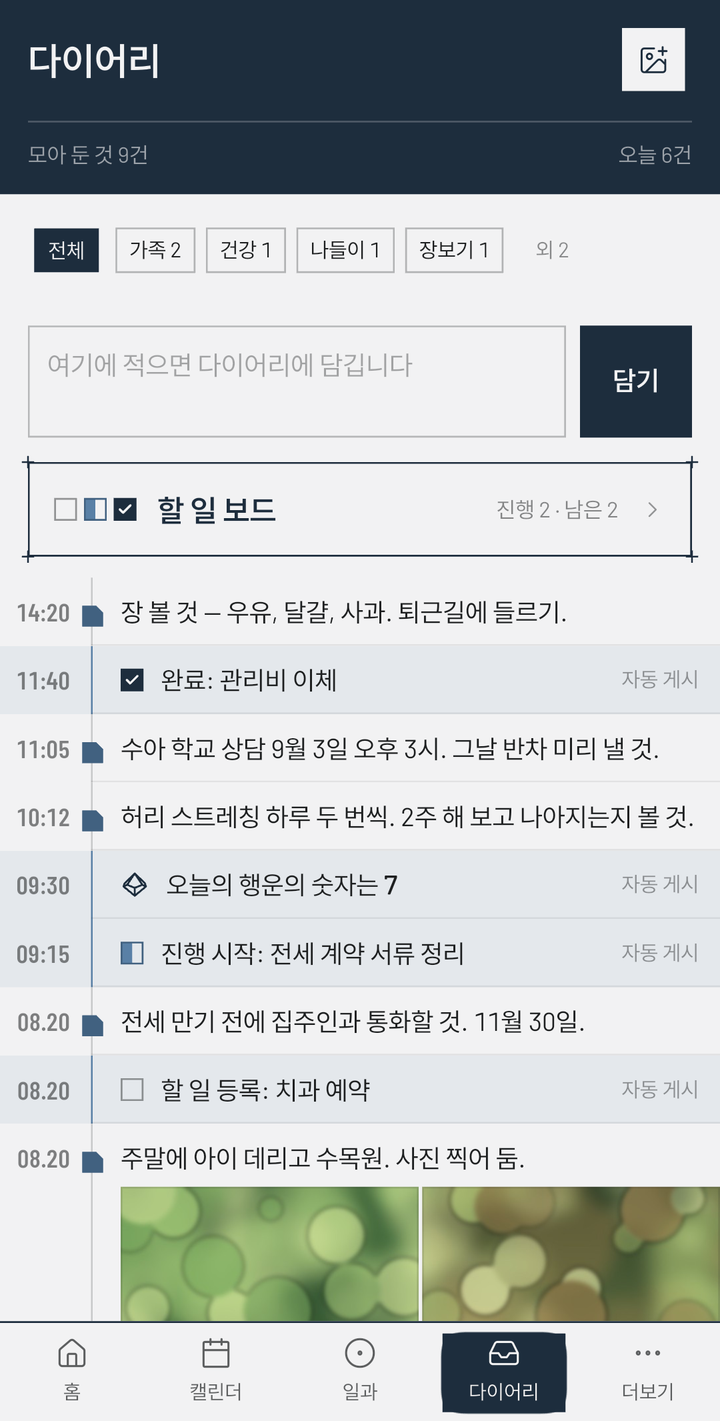
Lines you write by hand and lines the app posts for itself stack up on the same timeline — make or move a card and “to-do added”, “started” and “done” follow by themselves; moving one back leaves nothing. The lucky dice is one of them: roll it once a day in the diary for a single number from 0 to 9, and the result stays as that day's line.
09 Themes and languages
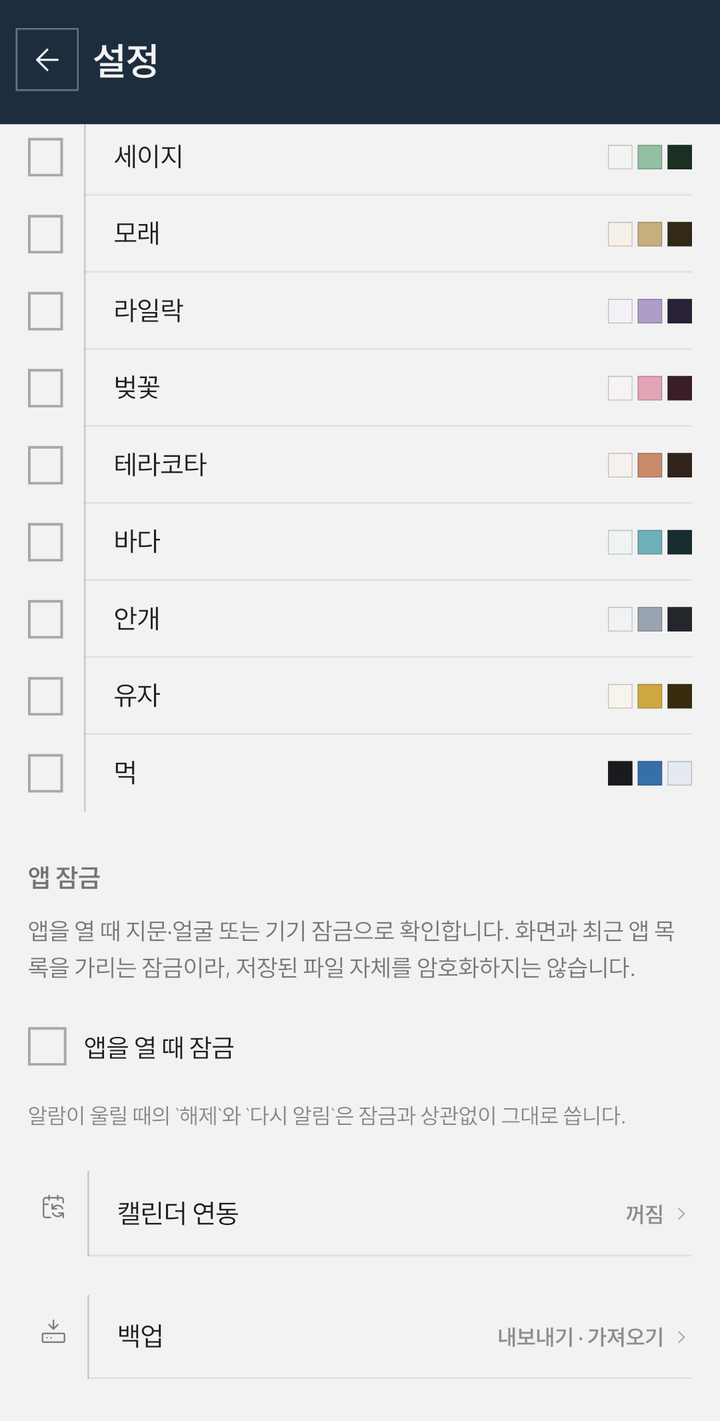
Ten themes,
eight languages.
Languages: device language · Korean · English · English (UK) · Japanese · German · French · Traditional Chinese (Taiwan) · Traditional Chinese (Hong Kong) — Traditional Chinese comes in two editions. The clock format (12/24 hour) and the holiday country — fifteen of them: Korea · Japan · Taiwan · Hong Kong · USA · UK · Germany · France · Ireland · South Africa · Australia · New Zealand · Singapore · India · Malaysia — are selectable too. The date order is yours as well — month·day (8/4), day·month (4/8) or automatic, which follows the convention of the chosen language and, on “device language”, the device's country.
10 Backup
Your data,
as your own file.
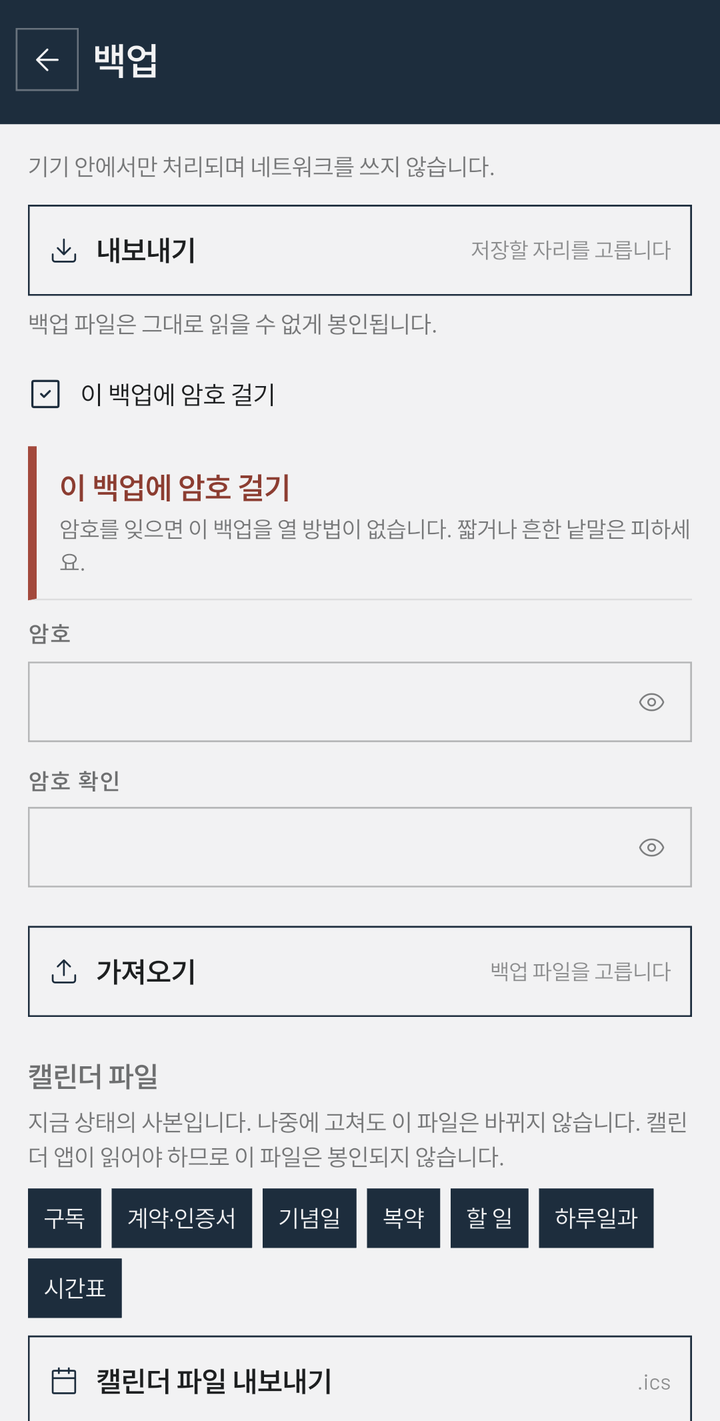
- Pick where to save, export as a single file, and restore from that file — overwrite or merge.
- A safety backup is taken automatically just before a restore.
- Photos attached to the diary go into the same zip.
- You choose where it is saved. The app never uploads it anywhere on its own.
- Backup files are sealed so they can't be read directly. If you want stronger protection you can password-protect a backup — but forget the password and there is no way to open it.
- It also exports as a calendar file (.ics), so it carries over to another calendar app. That file has to be readable by a calendar app, so it is not sealed.
Coming to Android and iOS.
We are preparing releases on Google Play and the App Store.
News appears on this page first.
Contact — contact@carrotsoftclan.com